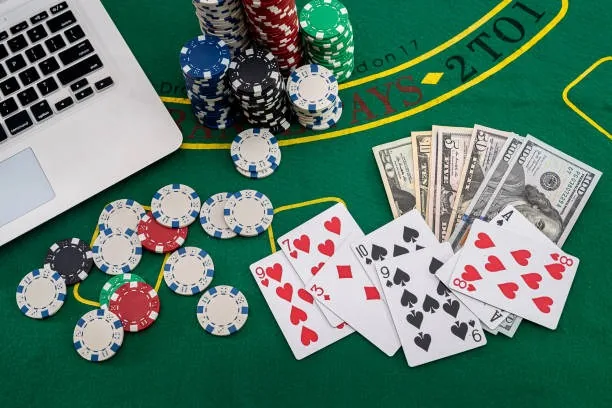
222game Pakistan – Slots and Sportsbook, Built for Your Phone
Live casino tables, fan-favourite slots, and cricket-led sports markets — all in one lobby you can reach from any browser in Pakistan. Deposits via JazzCash, Easypaisa, or Raast clear fast, and access is available where local law permits.

Pakistan payment context
JazzCash, Easypaisa, Raast JazzCash, Easypaisa, Raast and bank-transfer context is covered where access is allowed.

Built for phones, clear on desktop
Cards, tables, FAQ and policy pages stay easy to read on smaller screens.
222game · Pakistan
Service availability depends on eligible regions and local law. Users should check local rules before opening an account.
Play on Any Screen
222game runs in your browser on phone, tablet, or desktop — your account and balance stay in sync across every device without any download.


How We Keep Your Account Safe
Security on 222game runs across four layers — your connection, your login, your transaction history, and how your data is stored. Each one is handled separately so a problem in one area does not affect the others.
What's Running This Week



Getting Started on 222game
Register
Open the registration page, enter your mobile number, and verify with the OTP sent to your phone.
Deposit
Choose JazzCash, Easypaisa, Raast, or bank transfer and send your first deposit from the checkout screen.
Choose a Game
Browse the lobby by category — slots, live casino, or sportsbook — and open any title that catches your eye.
Start Playing
Your account balance is ready to use across every game and market in the lobby from the moment your deposit clears.

222game: One Lobby, Every Category
From live dealer tables to high-cap slot rooms and a full sportsbook, the lobby puts every category a click away.
What to Check First on 222game
New here? Four things worth knowing before you jump in. The account setup is short, the lobby is sorted by category, and help is a tap away if anything feels unclear.
Offers for New Account Holders

A casino welcome offer is available when you make your first deposit — full details and eligibility conditions are shown in the promotions section of your account. Terms apply.
Open Your Account
New account holders can access a sportsbook offer on their first qualifying deposit — check the promo board for the current offer details and minimum deposit. Terms apply.
Open Your AccountSupport Channels at 222game
Three ways to reach us — pick whichever fits the moment. Live chat is the fastest for account and payment questions. Email works for anything that needs a paper trail. Mobile help covers wallet-specific issues for JazzCash, Easypaisa, and Raast users.
Platform at a glance
- Game providers
- Pragmatic Play, Evolution, Red Tiger, Habanero
- Game categories
- Live Casino, Slots, Sportsbook
- Sports betting
- Included
- Accepted currency
- PKR
- Payment methods
- JazzCash, Easypaisa, Raast, Bank Transfer, Debit Card
- Customer support
- Live chat and email
Slots, Live Casino and More
Crash SpinWin

JazzCash MoneyIn
Teen Patti Battle
Roulette Streak
Balochistan Bonus Reels
Football QuickScore
Payment Methods at 222game
We support the payment rails Pakistan players actually use. Send from your JazzCash or Easypaisa wallet directly to the account number shown at checkout, confirm with your PIN, and the balance appears in your account wallet. Raast transfers work the same way through your bank's app. Debit card and bank transfer options are also available. Withdrawals follow a verification step — you'll confirm your identity and the receiving wallet before the transfer is processed.
Play on Any Device, Pick Up Where You Left Off
222game runs in your mobile browser without a download. Open the lobby on your phone during a break, then switch to desktop later — your account, balance, and game history carry over automatically. Returning users land straight on the lobby after OTP login, with no extra steps. The layout adjusts for screen size, so live tables and slot rooms are just as usable on a small screen as on a wide monitor. Players in Karachi and Lahore use the mobile browser version most, but the experience is consistent across devices.
Frequently Asked Questions About 222game
Answers to the questions we hear most from Pakistan players — account setup, payments, game access, and device use.
How to Navigate 222game
The top navigation bar splits the lobby into its main areas: Casino, Slots, Sportsbook, and Live Casino. Tap or click any category to filter the game grid to that section. Within Slots, a secondary filter row lets you sort by studio — useful if you want Pragmatic Play titles like Gates of Olympus or PG Soft games like Mahjong Ways without scrolling the full catalogue. The search bar at the top of the game grid finds any title by name in a couple of keystrokes. Your account area — balance, transaction history, and personal details — is behind the profile icon in the top-right corner.
Casino and Slots
Select Casino from the nav for live dealer tables including Roulette Streak and live baccarat. Select Slots for the full reel-game catalogue sorted by studio or feature type.
Sportsbook
The Sportsbook tab opens cricket markets, football, and other sports. PSL and international cricket fixtures appear here during active seasons with available betting markets listed per match.
Finding a Specific Game
Use the search bar above the game grid and type the title — Crash Blitz, Aviator, or any other name. Results appear instantly without leaving the current page.
Account Area
The profile icon top-right opens your wallet balance, deposit and withdrawal options, transaction history, and account settings. On mobile it slides in from the right edge of the screen.